What are datasets for?
So far, we've covered the first two steps of the AI engineering loop: tracing your application and monitoring its behavior live. Those give you visibility into what your system is actually doing and give you inspiration for improvement.
Now the question becomes: when you spot something worth improving, how do you test a change before deploying it to production? The next three steps of the loop cover exactly this, and it starts with datasets.
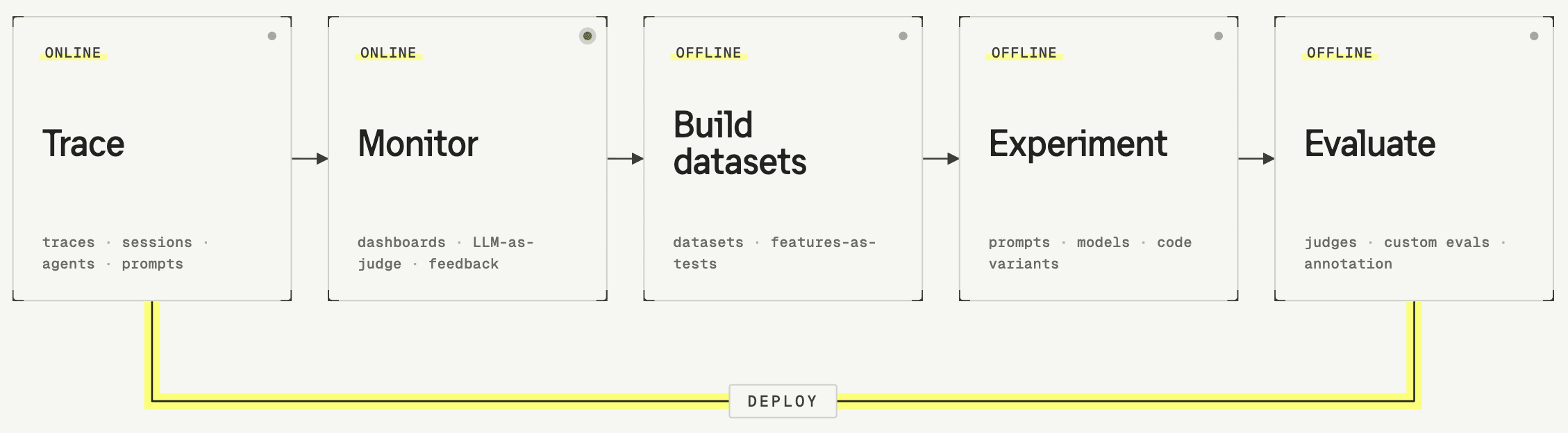
A dataset is a collection of test cases that you run your application against each time you make a change. Instead of deploying and hoping for the best, you get a repeatable, consistent check across a set of inputs that represent real-world usage.
What makes a good dataset?
A good dataset mirrors what your system will encounter in production. If passing the dataset gives you confidence before deploying, it's doing its job.
Focused in scope. Most datasets test one specific part of your system. That can be end-to-end, but it can also target an individual step like retrieval or summarization. You'll likely end up with multiple datasets, each with a clear purpose.
Different datasets for different workflows. Some datasets are small and fast enough to run on every push as part of your CI/CD pipeline. Others are larger and more comprehensive, and are useful to run periodically but too slow for every minor change.
The dataset item
A dataset is made up of items, each item represents one test case: a situation your application should be able to handle. Generally, an item has three fields:
- Input (required)
- Expected output (optional)
- Metadata (optional)
What should go where?
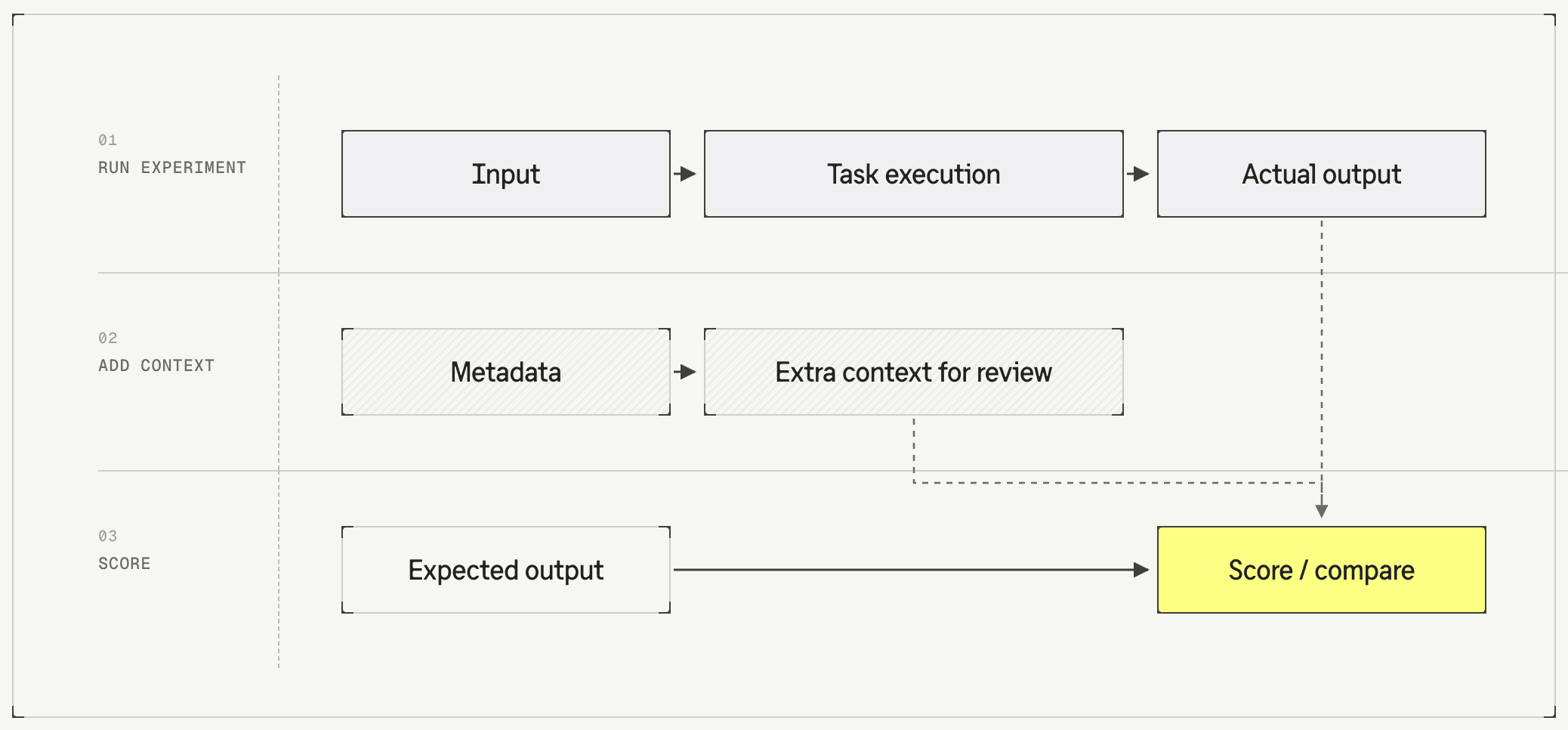
A good mental model is:
| Field | Purpose |
|---|---|
| Input | Input needed for the task you're testing |
| Metadata | Any additional context that's helpful when scoring the result |
| Expected output | Defines what a correct or good response looks like |
Different ways to use the expected output field
Some evaluators check the output against a predefined expected output (reference-based). Others assess the output without needing a ground truth to compare against (reference-free). Whether you need an expected output, and what it looks like, depends on which type of evaluator you use.
Exact match
The expected output is the literal correct answer. For example:
- A classification task where the correct label is "billing_inquiry"
- An extraction task where the expected entities are ["Paris", "Thursday"]
Reference answer
The expected output is a gold-standard response that shows what a good output looks like. The evaluator can compare the test's output against this example, for instance by checking semantic similarity or whether the key points match.
Evaluation criteria
The expected output is a list of checks or requirements the output should satisfy. For example:
- "must mention the refund policy"
- "must include a link to the help center"
The evaluator checks whether the output meets these criteria.
Not needed
Sometimes no expected output is required at all. If you're just checking whether:
- the tone is professional
- the response is safe
- the output follows a required format
Your dataset items don't need anything other than an input.
Where to start
There are different approaches to creating dataset items. Common sources to start from are:
- Production traces that you spotted and would like to improve
- Creating by hand based on pre-defined requirements for your agent
- Generating synthetically, with AI, based on your requirements and a couple of examples